
Chisel Coffee Shop
About This Tutorial
Welcome to the Chisel Coffee Shop tutorial — a hands-on guide to building a modern WordPress theme using the Chisel framework, enhanced with WooCommerce integration for e-commerce functionality. In this tutorial, you will create a beautiful and fully functional coffee shop website, equipped with all the advanced tooling and best practices that Chisel offers. This resource is designed to help you build a maintainable, high-performance WordPress site using cutting-edge development techniques.
Who This Tutorial is For
This tutorial is ideal for:
- WordPress developers looking to streamline project scaffolding and development.
- Teams or freelancers seeking a modern workflow with PHP, JavaScript, SCSS, and automation tooling.
- Developers who want to build WordPress websites using a robust, modular theme base.
What You Will Build
You will create the Chisel Coffee Shop, featuring:
- A responsive, branded website using Twig templates and SCSS with ITCSS architecture.
- WooCommerce-powered product catalog and shop pages for selling coffee online.
- Custom post types and fields for unique coffee content and brand storytelling.
- Modular components, reusable templates, and interactive frontend features with modern JavaScript.
- Custom Gutenberg blocks using ACF Pro
- A thoroughly documented, maintainable codebase ready for real-world deployment.
What You’ll Learn
During this journey, you’ll gain practical insight into:
- Modern WordPress theme architecture and file organization.
- Using Chisel’s build system, including webpack, npm scripts, and hot reloading.
- Crafting accessible, semantic templates with Timber and Twig.
- Integrating and customizing WooCommerce templates.
- Writing scalable and maintainable SCSS using ITCSS conventions.
- Leveraging Advanced Custom Fields (ACF) for custom blocks.
- Automatic code linting and formatting to adhere to WPCS/PHPCS standards.
- Performance, security, and deployment best practices.
Preview
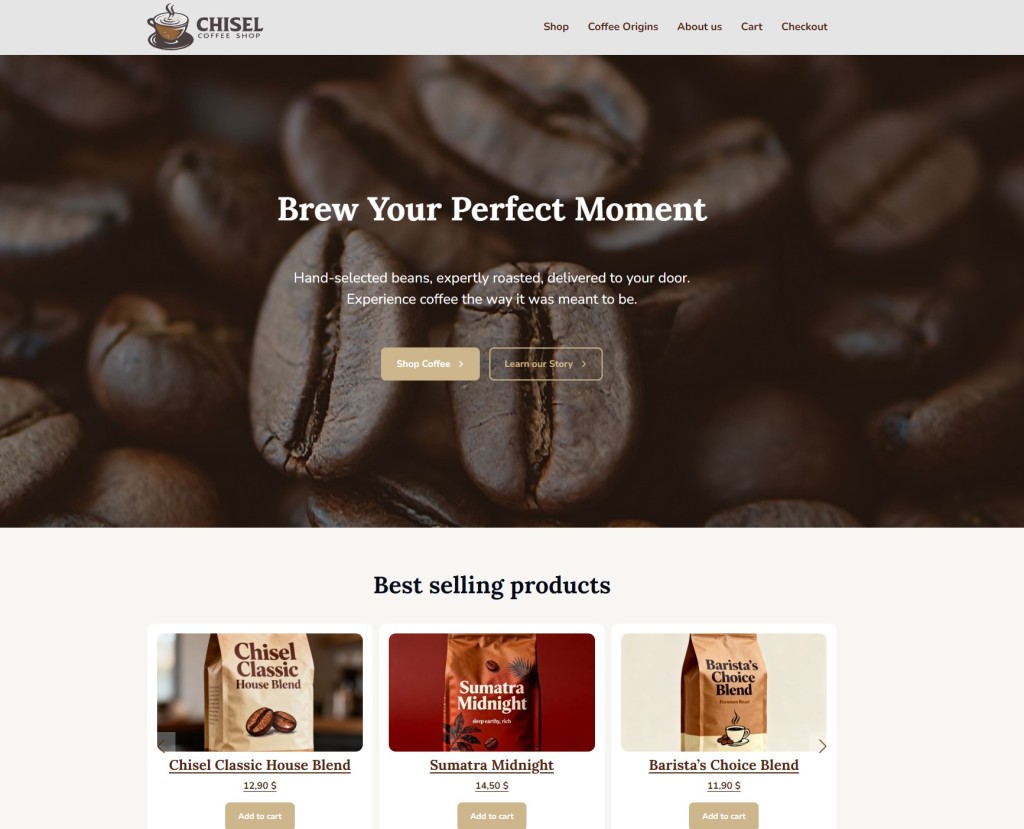
By the end of this tutorial, you’ll have a polished coffee shop website featuring:
- A homepage with shop highlights, featured products, and custom sections.
- A shop page styled for coffee lovers.
- Product pages with custom attributes, images, and “add to cart” functionality.
- Informational pages, blog section, and any interactive features you choose to add.
You can preview the completed project here.
Prerequisites
To follow along, you should have:
- Node.js and npm installed
- WP-CLI for fast WordPress installation and management
- Good knowledge of PHP, JavaScript, SCSS, and command-line tools
- Familiarity with Git for version control
- Local development environment (such as Docker or XAMPP)